Restart the host,
not the VMs.
keelOS is a virtualization host for the one server at home or in a small office. A small hypervisor stays in memory while the host system is upgraded and restarted. Virtual machines pause for about 25 seconds, then carry on where they were: no shutdown, no dropped TCP connections.
shutdown -r to SSH on the host, skipping the firmware. Through the firmware it takes 146 s.Measured on our development server (2 × Xeon Gold 6144, 32 threads), September 2026.
How it works
The part that holds your VMs does not restart with the host.
In most hosts the hypervisor is part of the host kernel, so a kernel update takes every VM down with it. keelOS separates the two.
A hypervisor that stays
UEFI loads the keel hypervisor before the host system. It holds guest memory and vCPU state and is not touched by a host upgrade. Only an upgrade of the hypervisor itself needs a full restart with the VMs shut down; it is kept small (about 80 KB) so that this stays rare.
A host that can restart
FreeBSD runs on top of it with the drivers, ZFS, the network and bhyve's device models. It is a read-only image running from RAM, and it restarts without going back through the firmware.
Guests that wait
When the host restarts, guests are suspended, the new host comes up, and the guests resume. Disk data is intact and the guest clocks are corrected.
Features
Built for the machine that runs everything.
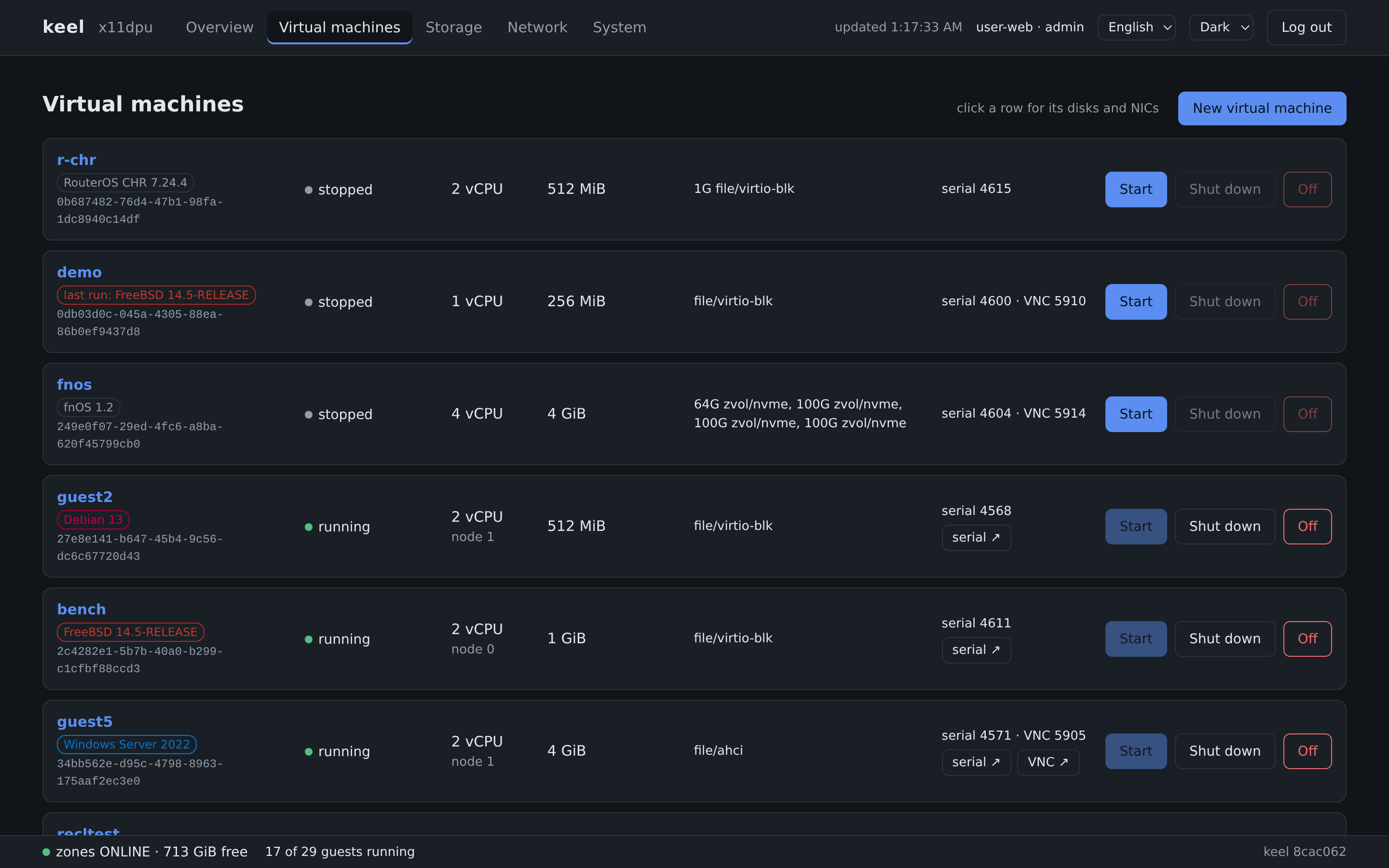
A NAS, a router, a Windows desktop and a few Linux servers on one box: each in its own VM, none of them stopped by a host update.
Want AI to watch or run your machine?
keelOS has an MCP server built in. Connect an AI assistant and it can report on the host and the VMs, read a guest's console, and start, stop or create VMs for you. A token decides what it may do, on which VMs, from which addresses and until when. Every change goes into the audit log. A skill teaches the assistant what is normal on keelOS and where to ask before acting.
Passthrough that survives a host restart
Give a whole disk controller or NVMe drive to a NAS VM. Devices are matched by vendor, model and serial number, not by slot. The hypervisor owns the IOMMU, so the device keeps working while the host restarts.
SR-IOV networking
Hand virtual functions of the network card to VMs and let the card do the switching. Tested with Intel X710 and the common I350. A VM with a VF is still shut down and started again on a host restart; keeping it running is in testing.
Windows 11 without workarounds
Virtual TPM 2.0 and Secure Boot pass the installer's hardware check. BitLocker works, and the TPM state is kept across host restarts.
ZFS underneath
VM disks are zvols or files on ZFS, presented as virtio-blk, NVMe or AHCI. A snapshot covers the whole guest: configuration, firmware variables and disks.
Web, command line and API
One program and no database. The web interface has serial and graphical consoles and speaks English, Chinese and Japanese. Everything it does goes through an HTTPS API with scoped tokens and an audit log.
RDP straight to the console
Connect any RDP client to the screen of any VM, including one that is still booting. Nothing is installed in the guest.
Memory that is not wasted
Pages a guest leaves zeroed are reclaimed and lent to the host as disk cache, and returned when the guest needs them. No overcommit.
Old systems welcome
Windows XP, Server 2003 and Windows 7 boot with SeaBIOS on IDE, PCnet and UHCI: the drivers those systems ship with.
An image, not an installer
Write the image to a USB stick and boot. A short wizard puts keelOS at the front of one disk; upgrades replace the image and restart the host once.
Guests
What runs on it.
Each of these was installed and run on our development hosts.
| System | Notes |
|---|---|
| Windows 11 | Virtual TPM 2.0 and Secure Boot; BitLocker works. |
| Windows 10, Server 2022 | UEFI; AHCI or NVMe disks; e1000 or virtio network. |
| Windows XP, Server 2003, Windows 7 | SeaBIOS; IDE, PCnet and UHCI with the in-box drivers. |
| Linux, FreeBSD, NetBSD, Haiku | virtio or AHCI. |
| fnOS | The NAS system. Tested and fully supported. |
| Router systems | OpenWrt, ImmortalWrt, iStoreOS, OPNsense, pfSense CE, VyOS and RouterOS CHR. |
Product names belong to their owners and are used here only to say what was tested.
Licence
Free to use.
keelOS is not open source, and it costs nothing.
Personal use
Free. Use it at home as you like.
Commercial use
Also free, with our permission. In return, we list your company's name on this page.
What it is built on
FreeBSD, bhyve and OpenZFS. Their licence notices ship with every release.
The licence text and the way to ask for commercial permission will be published with the first release.
Download
No public release yet.
keelOS has been in development since 26 September 2026. Releases will be published on GitHub.
Write the image
Put the ISO on a USB stick with dd, Rufus or balenaEtcher.
Boot and answer
Pick one disk. keelOS takes a small part at its front.
Open the web interface
Create the pool for your VMs and start the first one.
Needs a 64-bit Intel CPU with VT-x, and VT-d for passthrough.
What keelOS does not do: No multi-tenancy, software-defined networking, automatic scheduling or shared storage. It is for the one machine of a person or a small office.